We may earn a commission for purchases through links on our site at no cost to you, Learn more.
- Understanding the importance of securing your Facebook account.
- Common reasons for losing access to your Facebook account.
- Utilizing Facebook’s automated tools for account recovery.
- Methods to contact Facebook support directly for account recovery.
- Importance of proactive measures to prevent future account issues.
- Persistence and methodical approach are key in recovering a Facebook account.
How to Contact Facebook for Account Recovery?
In today’s digital age, social media platforms like Facebook have become integral to our daily lives. We use Facebook to stay connected with friends and family, share memories, and even conduct business.
However, with the increasing reliance on this platform, the frustration and anxiety caused by losing access to a Facebook account can be overwhelming. Whether it’s due to forgotten passwords, hacking attempts, or account suspension, recovering your Facebook account can seem like a daunting task.
This blog post will guide you through the various steps on how to contact Facebook for account recovery, ensuring that you can regain control of your account as quickly and efficiently as possible.
Understanding the Importance of Account Recovery
Before diving into the methods of contacting Facebook for account recovery, it’s important to understand why securing your account is crucial. Your Facebook account is not just a portal to your social connections; it’s also a treasure trove of personal information. From your photos and messages to your personal details and even financial information, a compromised account can lead to significant privacy breaches.
Moreover, if you use Facebook for business purposes, losing access can directly impact your professional life. Pages, advertisements, and business communications linked to your account could be disrupted, potentially leading to financial loss and reputational damage.
Therefore, knowing how to contact Facebook for account recovery is not just about regaining access; it’s about protecting your personal and professional life from unwanted intrusions.
Common Reasons for Losing Access to Your Facebook Account
The first step in the recovery process is understanding the potential reasons why you might lose access to your Facebook account. These reasons can vary, but some of the most common include:
Forgotten Passwords:
One of the most common reasons people lose access to their Facebook accounts is simply forgetting their passwords. With the myriad of passwords we use daily, it’s easy to lose track of one.
Hacked Accounts:
Unfortunately, hacking attempts are all too common on social media platforms. If a hacker gains access to your account, they can change your password, email, and even phone number, making it difficult for you to regain control.
Account Suspension:
Facebook has strict community guidelines, and if your account is flagged for violating these guidelines, it could be suspended. In some cases, the suspension might be a mistake, but it will still require you to contact Facebook for account recovery.
Technical Issues:
Sometimes, technical glitches on Facebook’s end can lock you out of your account. Whether it’s a bug or a system error, these issues can prevent you from logging in and may require assistance from Facebook’s support team.
Understanding the root cause of your issue is essential as it will dictate the steps you need to take to recover your account. In the following sections, we will explore various methods on how to contact Facebook for account recovery based on these different scenarios.
Using Facebook’s Automated Account Recovery Tools
Facebook provides several automated tools designed to help users recover their accounts without needing to directly contact support. These tools are the first line of defense when you lose access to your account.
Password Reset:
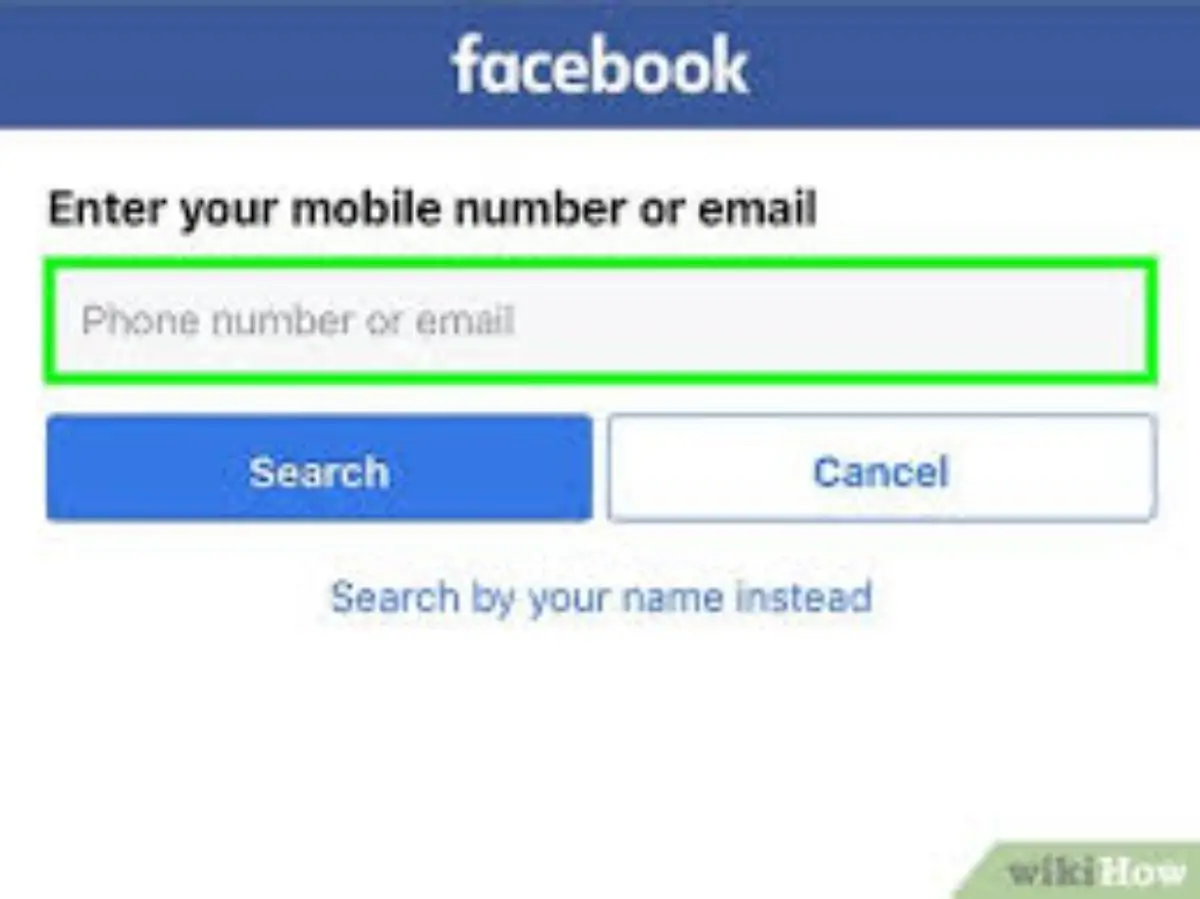
If you’ve forgotten your password, the first step is to use Facebook’s password reset feature. You can do this by clicking on the “Forgot Password?” link on the login page. Facebook will then prompt you to enter the email address or phone number associated with your account.
Once you provide this information, you’ll receive a link to reset your password. This is often the quickest and easiest way to regain access to your account.
Account Recovery Page:
If your account has been hacked or if you’re unable to reset your password using the standard method, Facebook’s Account Recovery page is your next best option. You can access this by visiting facebook.com/hacked.
Here, Facebook will guide you through a series of steps to verify your identity and secure your account. This might involve answering security questions, providing a government-issued ID, or confirming recent activity on your account.
Trusted Contacts:
Facebook offers a feature where you can designate trusted contacts who can help you regain access to your account. If you’ve set this up before losing access, you can contact your trusted contacts to get a special code that will help you unlock your account.
These automated tools are designed to be user-friendly, but they may not always work, especially in cases of severe hacking or account suspension. In such scenarios, knowing how to contact Facebook for account recovery through more direct means becomes essential.
Contacting Facebook Support Directly
If the automated tools fail to recover your account, the next step is to contact Facebook support directly. Unfortunately, Facebook does not offer direct customer service phone lines for account recovery issues, but there are several other ways to reach out to them:
Facebook Help Center:
The Facebook Help Center is a comprehensive resource that covers a wide range of topics, including account recovery. You can search for your specific issue and follow the recommended steps. While this may not provide a direct line to Facebook support, it’s a good starting point.
Report a Problem:
If you’re logged into Facebook on another device, you can use the “Report a Problem” feature. This allows you to describe your issue and request help from Facebook’s support team. Be sure to provide as much detail as possible, including any error messages you’ve received and the steps you’ve already taken to resolve the issue.
Social Media Channels:
In some cases, reaching out to Facebook through their social media channels, such as Twitter (@Facebook) or Instagram, can yield results. While this is not a guaranteed method, some users have reported receiving quicker responses when they’ve posted their issues publicly.
Email Support:
Although not widely publicized, Facebook does have a few email addresses that you can try for support. For example, you might try sending an email to support@facebook.com or disabled@facebook.com, explaining your situation and requesting assistance.
Contacting Facebook directly requires patience, as responses can be slow, and there is no guarantee of a resolution. However, persistence is key, and by exploring multiple avenues, you increase your chances of successfully recovering your account.
Preventing Future Account Issues
While knowing how to contact Facebook for account recovery is crucial, prevention is always better than cure. By taking proactive steps to secure your account, you can minimize the chances of losing access in the future.
- Enable Two-Factor Authentication (2FA): Two-factor authentication adds an extra layer of security to your Facebook account by requiring a second form of verification, such as a text message or authentication app, in addition to your password.
- Regularly Update Your Password: Make it a habit to change your Facebook password regularly and use a strong, unique password that is difficult for others to guess.
- Review Account Activity: Regularly check your account activity and login sessions to ensure that there are no unauthorized logins. If you notice any suspicious activity, take immediate action to secure your account.
- Keep Contact Information Updated: Ensure that your email address and phone number associated with your Facebook account are always up to date. This makes it easier to recover your account if you get locked out.
- Be Cautious of Phishing Scams: Always be vigilant about phishing scams, which are attempts to trick you into giving away your login credentials. Never click on suspicious links or provide your Facebook password to anyone.
By taking these precautions, you can significantly reduce the risk of needing to contact Facebook for account recovery in the first place.
Frequently Asked Questions
Here are some of the related questions people also ask:
How can I recover my Facebook account if I forgot my password?
You can recover your Facebook account by using the “Forgot Password?” link on the login page. Enter your email or phone number, and follow the prompts to reset your password.
What should I do if my Facebook account is hacked?
If your Facebook account is hacked, go to facebook.com/hacked and follow the steps to secure your account. You may need to verify your identity through security questions or by providing an ID.
Can I contact Facebook directly for account recovery?
Yes, you can contact Facebook support through the Help Center, “Report a Problem” feature, social media channels, or by emailing support@facebook.com.
How long does it take for Facebook to respond to account recovery requests?
Response times can vary, but it may take several days for Facebook to respond to account recovery requests, especially if you contact them directly.
What are trusted contacts on Facebook, and how do they help with account recovery?
Trusted contacts are friends you designate who can help you regain access to your account by providing a special recovery code if you’re locked out.
What preventive measures can I take to avoid losing access to my Facebook account?
Enable two-factor authentication, regularly update your password, review account activity, keep your contact information updated, and be cautious of phishing scams.
Is there a way to recover my Facebook account if I don’t have access to my email or phone number?
Yes, if you don’t have access to your email or phone number, you can use the Account Recovery page or contact Facebook support directly to verify your identity and recover your account.
The Bottom Line: How to Contact Facebook for Account Recovery?
In conclusion, losing access to your Facebook account can be a stressful experience, but by knowing how to contact Facebook for account recovery, you can navigate this challenge more effectively. Whether you’re dealing with a forgotten password, a hacked account, or an account suspension, there are multiple avenues available to help you regain control.
From using Facebook’s automated recovery tools to reaching out to their support team directly, the key is to remain persistent and methodical in your approach. Additionally, taking proactive steps to secure your account, such as enabling two-factor authentication and regularly updating your password, can help prevent future issues.
Remember, your Facebook account holds not just your social connections but also a wealth of personal information. Protecting it is paramount, and knowing how to contact Facebook for account recovery is an essential skill in today’s digital world. By following the steps outlined in this blog post, you can ensure that you’re well-prepared to handle any account-related issues that may arise, safeguarding your personal and professional life in the process.