We may earn a commission for purchases through links on our site at no cost to you, Learn more.
- Use Apple’s Find My iPhone feature to locate and contact the owner of a lost device.
- Enable Lost Mode to send a message with contact details to a found iPhone.
- Access iCloud or the Find My app to manage and track your lost iPhone.
- Reach out to local authorities or visit an Apple Store if you cannot use Find My iPhone.
- Be cautious and handle a found iPhone ethically to ensure it is returned to its rightful owner.
Losing or finding a smartphone can be a stressful experience, especially when it comes to iPhones, which are known for their high value and the personal data they often contain. If you’ve found a lost iPhone and want to return it to its rightful owner, or if you’ve lost your iPhone and are desperate to get it back, it’s important to know the correct steps to take.
In this blog post, we’ll guide you through the process of how to contact the owner of a lost iPhone, ensuring that you handle the situation ethically and efficiently.
How to Contact the Owner of a Lost iPhone?
Finding a lost iPhone can be a fortunate discovery, but it also comes with the responsibility of ensuring it is returned to its owner. On the other hand, losing your iPhone can be distressing, and understanding how to contact the owner if you happen to find it can significantly improve your chances of recovery.
This guide will cover various methods to identify and reach out to the owner of a lost iPhone, offering practical advice to both finders and those who have lost their devices.
Using Built-in Features to Contact the Owner
Find My iPhone
The most direct method to help return a lost iPhone is using Apple’s built-in feature called Find My iPhone. Here’s how you can utilize it to contact the owner:
- Activate Find My iPhone: Ensure that Find My iPhone is enabled on the device. This feature is activated by default on most iPhones and allows users to locate their device.
- Locate the Device: If you’re the owner of the lost iPhone, log into iCloud.com or the Find My app on another Apple device. Use the “Find My” feature to pinpoint the location of your iPhone.
- Send a Message: If you’ve found someone else’s iPhone, you can send a message directly to the device using the “Lost Mode” feature. This will display a custom message on the iPhone’s lock screen with instructions on how to contact you.
- Contact Information: Ensure the message includes your contact details. The owner can then reach out to you directly to arrange the return of their device.
By following these steps, you effectively use Apple’s ecosystem to facilitate communication between you and the owner of the lost iPhone.
Check the Lock Screen
Sometimes, the lock screen of an iPhone can contain valuable information for returning a lost device. Here’s what to look for:
- Emergency Contacts: Check if there are any emergency contacts listed on the lock screen. Many people set up medical ID or emergency contact information that might include a phone number.
- Owner’s Information: Some users customize their lock screens with personal contact details or a message indicating how to reach them if their device is lost.
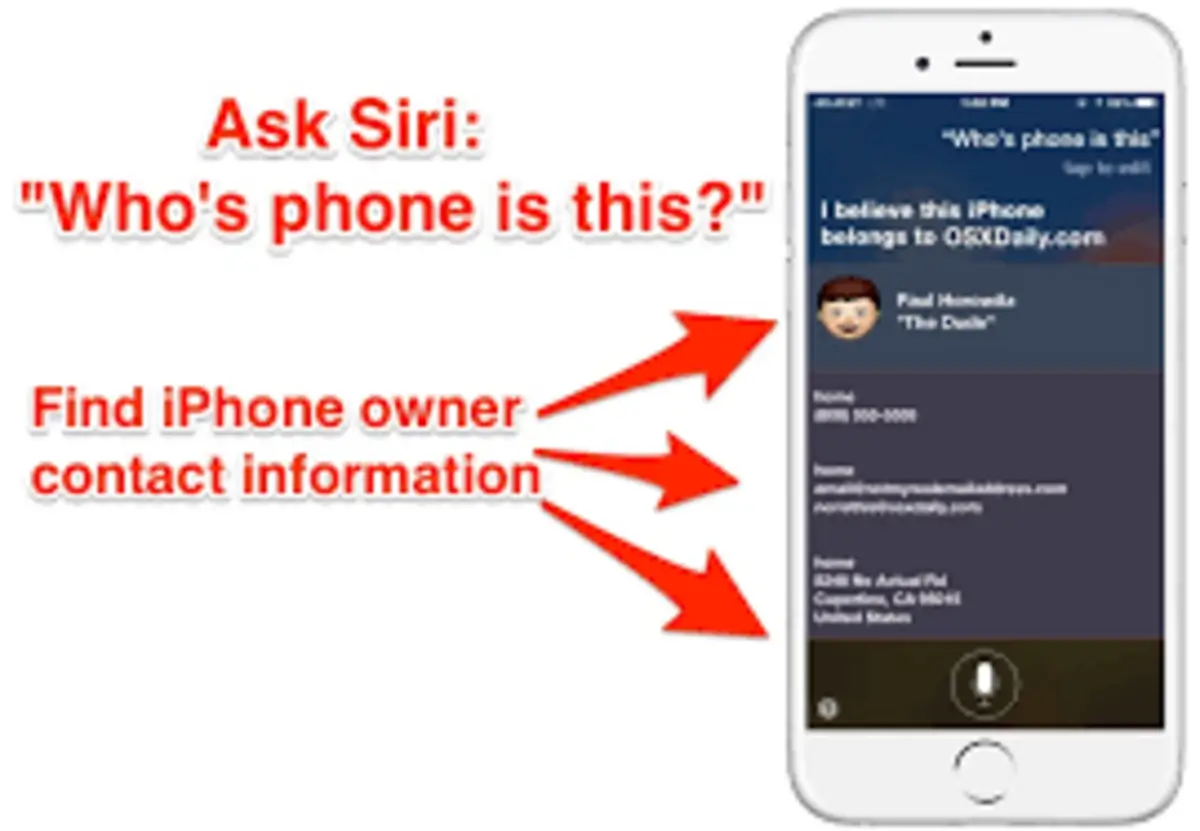
Siri Assistance
If the iPhone is accessible, you might use Siri to help in contacting the owner:
- Ask Siri: Activate Siri by holding the home button or side button, then ask, “Who does this iPhone belong to?” or “How can I contact the owner?”
- Display Info: Depending on the settings and Siri’s ability to access certain information, it might display relevant details about the owner or instructions on how to contact them.
Using Third-Party Services and Apps
Contacting Your Carrier
If the above methods are not applicable or you’re still unsure, contacting the carrier associated with the iPhone is another option:
- Carrier Assistance: Reach out to the major carriers such as AT&T, Verizon, or T-Mobile. Provide them with the device’s IMEI or serial number, which can often be found on the device’s packaging or in the Settings menu if you have access.
- Data Privacy: Note that carriers have strict privacy policies and may not disclose personal information, but they can sometimes facilitate the return by contacting the owner on your behalf.
Social Media and Online Platforms
If you’re unable to contact the owner through the device itself, consider using social media or online lost-and-found platforms:
- Lost and Found Groups: Many communities have local Facebook groups or websites dedicated to lost and found items. Post details about the lost iPhone, including the location where it was found, and any identifying features.
- Online Platforms: Websites like Craigslist or Reddit also have sections where you can post about found items. Make sure not to share sensitive information and only provide enough detail to identify the device.
Local Lost and Found Offices
In some cases, it might be beneficial to contact local establishments or authorities:
- Lost and Found Departments: Many public places such as libraries, shopping malls, or public transportation systems have lost and found departments. Handing in the iPhone to one of these places might increase the chances of the owner recovering it.
- Police Stations: If the iPhone is found in a public area, you might also consider taking it to a local police station. They can handle the situation professionally and attempt to locate the owner.
Securing the Device and Privacy Considerations
Avoid Tampering
If you find a lost iPhone, it’s crucial to avoid tampering with the device. Here’s why:
- Respect Privacy: The owner’s personal information, photos, and other sensitive data are on the device. Tampering with or accessing this information without permission is both unethical and potentially illegal.
- Preserve Evidence: Altering the device could potentially erase crucial information or evidence that could help in identifying the owner.
Use Ethical Practices
Handling a lost iPhone requires ethical considerations to ensure the device is returned safely and respectfully:
- Do Not Sell or Use: Under no circumstances should you attempt to sell or use the found iPhone for your own benefit.
- Follow Legal Guidelines: Adhere to local laws and guidelines regarding found property. Returning the device in a manner that respects the owner’s privacy and complies with legal standards is paramount.
Frequently Asked Questions
Here are some of the related questions people also ask:
How can I use Find My iPhone to contact the owner of a lost device?
You can use Find My iPhone to contact the owner by enabling Lost Mode on the device. This allows you to send a message that will appear on the iPhone’s lock screen with your contact information.
What should I do if I find a lost iPhone but can’t use Find My iPhone?
If you can’t use Find My iPhone, consider taking the device to a local Apple Store or contact local law enforcement to handle the situation. They can help facilitate the return of the lost phone to its owner.
How do I enable Lost Mode on an iPhone?
To enable Lost Mode, log into iCloud.com or use the Find My app, select the lost device, and choose the “Lost Mode” option. Follow the prompts to enter a message and contact information.
Can I track a lost iPhone without Find My iPhone?
No, tracking a lost iPhone generally requires Find My iPhone. Without it, your options are limited to physically locating the device or seeking help from local authorities.
What information should I include in the Lost Mode message?
In the Lost Mode message, include your contact information and any instructions for the finder on how to return the device. Be clear and concise to ensure easy communication.
What if the iPhone I found is locked and doesn’t show any contact information?
If the iPhone is locked and does not show contact information, your best options are to visit an Apple Store or contact local authorities. They can help unlock the device and facilitate its return.
How can I protect my iPhone from being lost in the future?
To protect your iPhone from being lost, ensure Find My iPhone is enabled, set up a strong passcode, and consider using a physical tracker device as an additional precaution.
The Bottom Line: How to Contact the Owner of a Lost iPhone?
Finding or losing an iPhone can be a challenging experience, but knowing how to contact the owner of a lost iPhone can significantly ease the process. By utilizing built-in features like Find My iPhone, checking the lock screen, and considering third-party options such as carriers and online platforms, you can effectively facilitate the return of the device. It’s important to handle the situation with respect and ethical consideration, ensuring the privacy and safety of the owner’s personal information.
Whether you’re trying to return a found iPhone or seeking a lost one, following these guidelines will help you navigate the situation responsibly. Remember that technology is a tool to connect people and solve problems, and handling such situations with care ensures that it serves its purpose effectively.